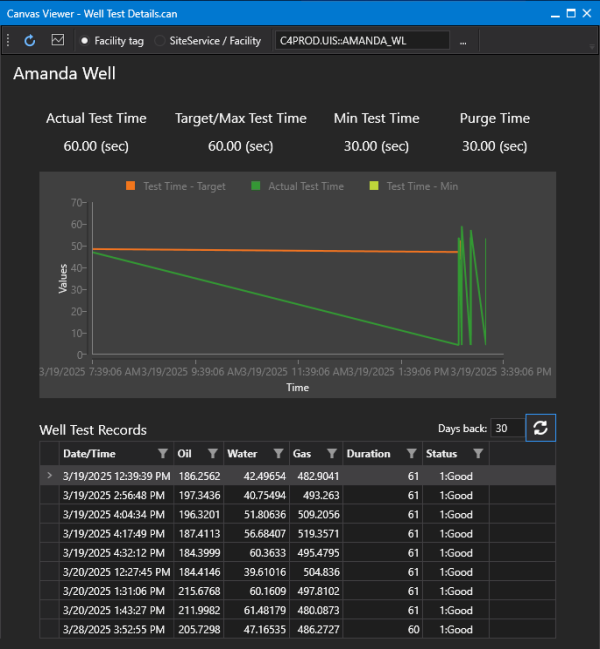
Sample Well Test Detail Screen
The Well Test Detail screen (Well Test Detail.can) is a Canvas screen that shows further detail about the selected well from the associated well grid.
The upper portion of the screen shows test time UDCs for the selected well: the Actual Time in Test, Target Test Time, Minimum Test Time, and Purge Time, provided they are configured. The Actual Test Time and Target Test Time are included on the chart.
The lower portion of the screen shows the raw Well Test Records for the selected well. The Days Back edit box and Refresh button can be used to adjust starting day of test records.
|
Canvas Well Test Details Sample Screen |